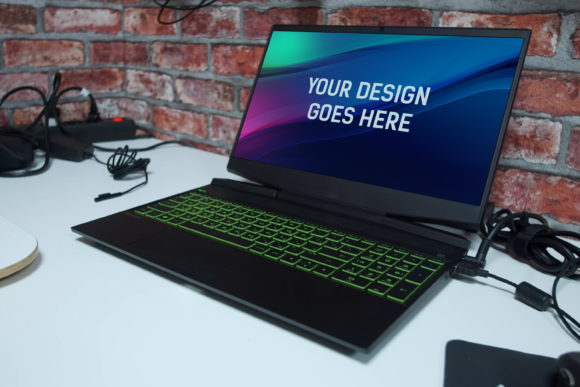
The HP Gaming Laptop Mockup 17: Your Gateway to Powerful Design Presentations
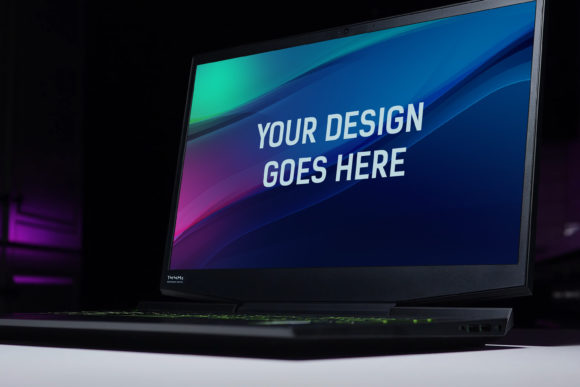
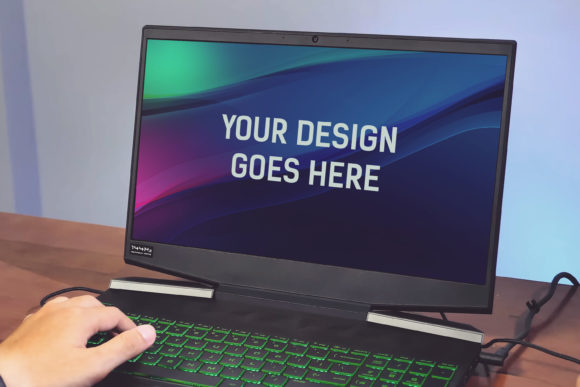
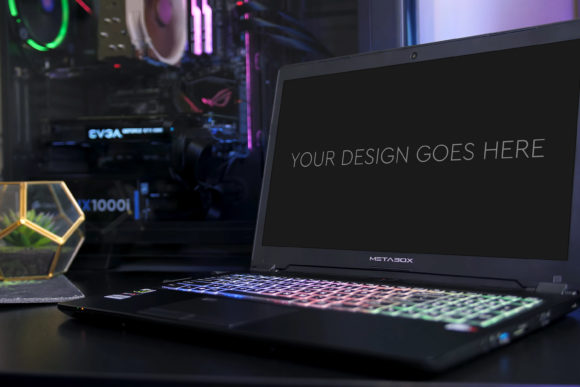
In the world of digital design and marketing, presentation is everything. A stunning design concept can be completely undermined by a poor presentation, leaving clients or stakeholders underwhelmed. This is where a professional device mockup becomes an indispensable tool. The HP Gaming Laptop Mockup 17 offers a sleek, high-performance framework to showcase your work in a context that resonates with tech-savvy audiences. It’s not just a static image; it’s a fully layered Photoshop file designed to make your integration process automatic and seamless.
Many creators, from freelancers to agency professionals, understand the need for mockups but often rush into using the first template they find. This haste can lead to a series of overlooked details that diminish the final output. Let’s explore some common pitfalls and how you can leverage the HP Gaming Laptop Mockup 17 to elevate your presentations effectively.
Overlooking the Importance of Context and Relevance
A frequent mistake is using a generic laptop mockup for every project. While it might seem efficient, placing a minimalist web design on a high-end gaming laptop mockup, or vice versa, can create a dissonant message. The HP Gaming Laptop Mockup 17 specifically implies power, performance, and a gaming or high-end software audience. Using it to present a simple blog layout might confuse viewers about the project's intent.
A better approach: Match your mockup to your design’s narrative. If your project is a game UI, a complex application dashboard, or any design targeting a performance-oriented user, this mockup is perfect. It adds contextual credibility. Before you pop your design into the smart object, ask yourself: Does this device aesthetic support and enhance the story my design is telling?
Neglecting Technical Specifications and Workflow
The details matter. This mockup comes as a Photoshop PSD-file at a size of 3000x2000px at 300dpi. Some users download it and immediately try to place a low-resolution screenshot, resulting in a blurry, pixelated final image that looks amateurish. Another misunderstanding is not utilizing the Smart Object feature correctly. The process is designed to be automatic, but you still need to ensure your design file is appropriately sized and formatted before insertion.
How to avoid this: Always prepare your design at a high resolution. Even if your source is a screenshot, use tools to capture or export it at the highest quality possible. When you place it into the provided smart object, the scaling and perspective will adjust automatically, but it starts with a quality source. Also, familiarize yourself with the layered and grouped PSD structure. This organization allows you to adjust shadows, reflections, or the included beautiful photo filters without affecting your core design, offering control for that perfect final touch.
The Trap of Over-Editing and Filter Misuse
With powerful features like layered adjustments and photo filters included, there’s a temptation to overdo it. Applying every filter or dramatically altering the mockup’s lighting can distort your design’s true colors and appearance, misleading your audience. The mockup should frame your work, not overshadow it.
Practical advice: Use the editing capabilities subtly. Perhaps adjust the screen’s brightness to match your design’s luminosity or use a slight filter to harmonize the mockup’s ambient light with your interface’s palette. The goal is a cohesive, realistic presentation. Preview your mockup in multiple viewing environments—on a phone, a tablet, a monitor—to ensure it looks balanced everywhere.
Assuming All Mockups Are Equal
Not every “high quality mock-up” delivers. Some free or low-cost alternatives might have poor layer organization, non-editable elements, or low resolution that fails under scrutiny. The HP Gaming Laptop Mockup 17 specifies its quality and ease of use, but users sometimes skip verifying these claims, leading to frustration during a tight deadline.
What to check before using it: While the description notes it’s very easy to use, ensure you have a compatible version of Photoshop that supports Smart Objects. Check the layer panel upon opening to confirm it’s logically grouped. This foresight prevents last-minute technical hurdles. Furthermore, the 3000x2000px resolution is ideal for print materials or large digital displays—confirm your output needs align with this.
Another overlooked aspect is value comparison. For professionals, the time saved by a well-structured, automatic mockup outweighs a nominal cost. Investing in a reliable asset like this mockup prevents hours of manual compositing and editing, boosting your efficiency and allowing you to focus on the design itself.
Failing to Leverage the Mockup for Communication
The ultimate purpose of a mockup is communication. It bridges the gap between a flat design and a client’s imagination. Some designers use the HP Gaming Laptop Mockup 17 as a mere final step, a decoration. Instead, it should be an integral part of your feedback and iteration process. Presenting your work in this realistic context can elicit more accurate feedback about usability and aesthetics.
A realistic example: When presenting a new game store interface, placing it within this gaming laptop mockup allows stakeholders to immediately visualize the user experience on a typical target device. It answers the unspoken question, “How will this look in use?” This can streamline discussions and reduce misunderstandings, directly impacting project satisfaction and speed.
Ensuring Your Presentation Stands Out
In a crowded digital landscape, your presentation needs to command attention. A common mistake is creating a mockup image and dropping it into a standard PDF or email. The impact is lost. The high-quality render from this mockup deserves a proper showcase.
Better choices: Use the final image in dedicated presentation software, embed it in an interactive prototype, or feature it on a portfolio site with context. Explain briefly why you chose this specific mockup context, highlighting your strategic thinking. This not only showcases your design but also your professional approach to presentation and marketing, appealing to clients and employers who value thoroughness.
Remember, tools like the HP Gaming Laptop Mockup 17 are bridges between your creativity and your audience’s perception. By choosing it mindfully, preparing your assets correctly, and using its features with intentional restraint, you transform a simple design file into a compelling, persuasive visual story. It turns a technical presentation into an engaging experience, ensuring your hard work is seen in the best possible light.