Evaluating HP Gaming Laptop Mockup 04 for Professional Design Presentations
In the workflow of a digital designer, marketer, or content creator, the bridge between a concept and a client's approval is often a compelling visual presentation. A mock-up serves as that critical bridge, providing context and realism to a design that might otherwise exist only as a flat graphic. HP Gaming Laptop Mockup 04 is a specific resource aimed at fulfilling this need, offering a high-quality, editable scene to showcase designs on a gaming laptop screen. Its stated promise is one of automation and ease: pop in your design, and the mock-up handles the integration. For professionals evaluating tools, the true value lies not in the promise but in the practical execution, file quality, and ultimate time saved versus the effort required.
Core Characteristics and Practical Purpose
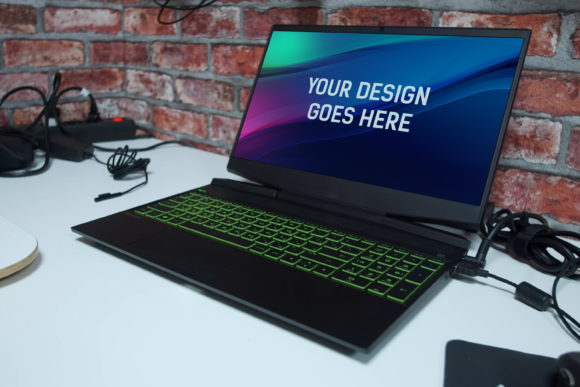
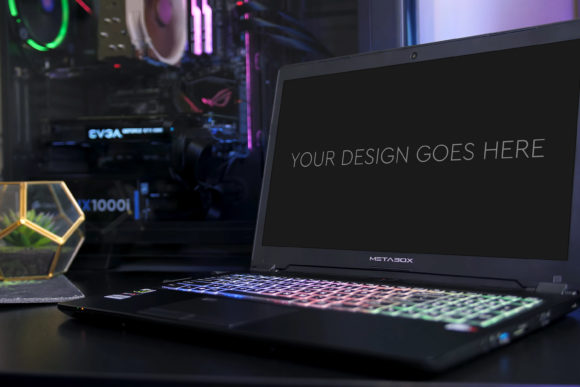
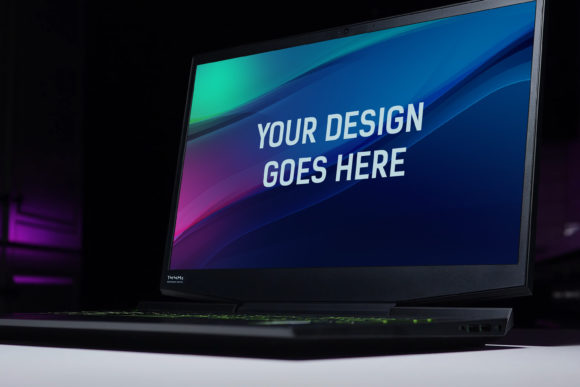
The product is a single Photoshop (PSD) file constructed as a mock-up for an HP gaming laptop. The primary purpose is unambiguous: to allow users to present their screen-based designs—such as website interfaces, application dashboards, gaming software overlays, or marketing banners—in a realistic, environmental context. A key characteristic is its dimensions: 3000 by 2000 pixels at 300 DPI. This resolution is significant, ensuring the final composite image retains sharpness even for large-format prints or detailed digital viewing, a necessity for professional deliverables.
The internal structure of the PSD is described as layered and grouped, utilizing Smart Objects for the core placement of the user's design. This architecture is a standard best practice for quality mock-ups. A Smart Object functions as a container that preserves an image's source content, allowing non-destructive transformation and replacement. When a mock-up leverages this correctly, it means the user only needs to double-click a specific layer, paste their screenshot or design into the opened file, save, and close it. The design then automatically conforms to the perspective, lighting, and screen curvature of the laptop model in the main PSD file.
Analyzing Usability and Real-World Performance
The claim of being "very easy to use" hinges entirely on the correct implementation of these Smart Objects. In practice, for a user with even intermediate familiarity with Photoshop, the process should indeed be straightforward and efficient, taking mere minutes. This efficiency is a major strength. However, for individuals entirely new to Photoshop or to the concept of Smart Objects, there may be an initial learning step required, despite the simplicity. The mock-up removes the need for manual masking, perspective distortion, or lighting matching, which are time-consuming and skill-intensive tasks.
Performance in real-world use also depends on the included "beautiful photo filters." These likely refer to adjustment layers or layer styles within the PSD that apply a consistent tonal or color grading to the overall scene, enhancing the photographic realism of the final composite. This adds value by providing a polished, cohesive look without requiring the user to possess advanced photo-retouching skills. The consistency offered here is crucial for professionals who need to produce reliable, high-quality outputs repeatedly for different clients or projects.
Strengths in Flexibility and Presentation Effectiveness
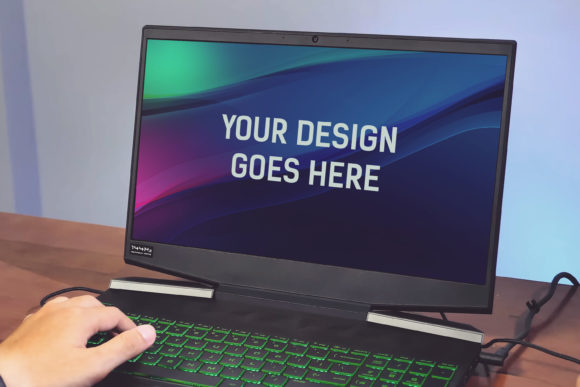
While HP Gaming Laptop Mockup 04 is a specific device mock-up, its flexibility lies in the breadth of designs it can contextualize. It is not limited to gaming content. Entrepreneurs can use it to present a new SaaS product interface, educators can showcase an interactive learning module, and marketers can visualize a campaign's landing page. The gaming laptop aesthetic—often featuring angled lines, aggressive lighting, and a moody ambiance—can convey a sense of power, performance, and cutting-edge technology, which might be beneficial for projects wanting to associate with those traits.
The effectiveness of the presentation is inherently tied to the mock-up's own visual quality. A high-quality base photograph, with authentic reflections, appropriate shadows, and clean details, makes the inserted design believable. A low-quality base image would undermine the entire purpose. Given the specified resolution and the mention of photo filters, this mock-up appears designed to meet that high-quality threshold, aiming to make the final presentation look like a photograph of a real laptop displaying the work, rather than an obvious composite.
Who Benefits Most from This Resource
The audience for HP Gaming Laptop Mockup 04 aligns well with the described demographic of professionals, freelancers, and serious hobbyists. UI/UX designers who need to present concepts in client pitches are primary beneficiaries. Digital marketers and bloggers creating content about tech products or services can use it to generate credible featured images for articles or social media. Small business owners developing their own app or web platform can leverage it to create affordable, professional-looking marketing materials without commissioning custom photography.
The mock-up is particularly situationally useful when the target audience or project theme aligns with gaming, high-performance computing, or a youthful, tech-savvy demographic. It might be less fitting for a project aimed at a conservative, corporate financial audience, where a simpler, cleaner laptop mock-up would be more appropriate. This highlights an important consideration: choosing a mock-up is not just about technical execution but also about the subconscious message the environment conveys.
Professional Observations on Long-Term Value
From a practical resource evaluation standpoint, the long-term value of a single, well-made mock-up like HP Gaming Laptop Mockup 04 is high if it fits into a recurring workflow. Its reliability comes from the non-destructive, template-like nature of the PSD. Once a user understands the process, it can be reused indefinitely for different designs, ensuring consistent presentation quality across multiple projects. This saves costs compared to repeatedly hiring a photographer or purchasing varied mock-ups for every single need.
A potential limitation, however, is the specificity of the device. It is an HP gaming laptop model. If a professional's work requires presenting designs across a variety of devices—a tablet, a smartphone, a standard laptop—then this single mock-up is only one piece of a larger toolkit. Furthermore, while the automation is a strength, some advanced users might desire more manual control over lighting or reflection effects than a pre-filtered Smart Object allows. The mock-up offers ease and consistency, which might trade off against absolute creative control for fine-tuning every physical parameter.
Practical Recommendations and Final Considerations
For those considering HP Gaming Laptop Mockup 04, a practical recommendation is to assess your typical output needs. Do you frequently need to present screen designs in a realistic context? Does the gaming laptop aesthetic serve your clients or audience? If yes, then a high-quality, automated mock-up is a sensible investment that streamlines production. Ensure you have access to Adobe Photoshop, as the PSD format is native to that software; alternative image editors may not support the Smart Object functionality correctly.
Ultimately, tools like HP Gaming Laptop Mockup 04 exist to remove repetitive technical hurdles, allowing creators to focus on their core design work and communication. Its worth is measured in the time it saves and the professional credibility it adds to a presentation. By providing a ready-made, high-resolution environment with an automated insertion process, it addresses a clear pain point for many in the creative and digital fields. When used in the appropriate context, it performs its specific function effectively, making it a focused and valuable asset for a targeted segment of the professional community.