Your Guide to Gaming Console Illustrations for Creative Projects
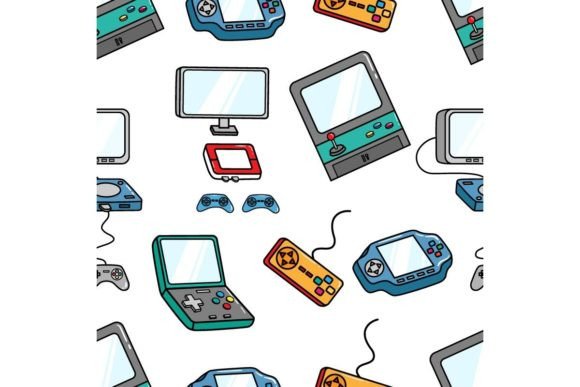
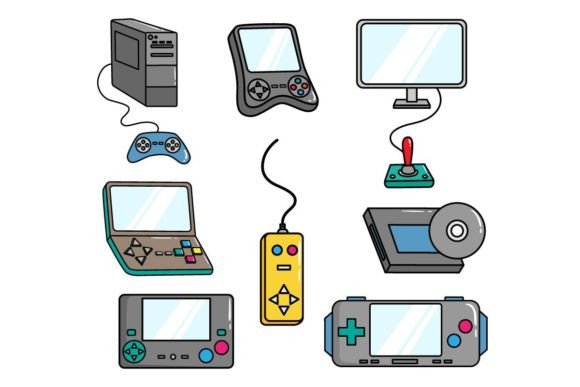
When you think of gaming console illustrations, you might picture a simple drawing of a controller or a classic system. But in the world of creative design, these illustrations represent a vibrant and versatile asset. A well-designed Gaming Console Illustrations set isn't just a nostalgic image; it’s a scalable, editable design file packed with potential for a huge range of applications. From children’s books needing playful tech elements to sophisticated patterns for a totebag, the right illustration pack can be a creative powerhouse.
The interest in these assets spans a wide audience. A hobbyist might want to create a custom T-shirt for a gaming convention. A small business owner could be looking for unique artwork to print on phone cases. An educator might need clear, engaging visuals for a digital literacy workbook. The common thread is the need for high-quality, adaptable artwork that avoids the pitfalls of generic, low-resolution clip art. Let's explore how to navigate this effectively.
Overlooking File Formats and Their Real Purpose
A major misunderstanding is treating all downloaded files as interchangeable. When a pack includes AI, EPS, JPG, and PNG formats, each serves a distinct role. Many beginners download the JPG and immediately try to edit it in a basic program, only to find they can't change colors or isolate elements. This leads to frustration and a compromised final product.
The AI and EPS files are your source material. They contain vector graphics, meaning the illustrations are made of paths and points, not pixels. This allows you to resize them infinitely without losing quality, change colors instantly, and separate individual components like buttons or consoles. The high-resolution JPG and PNG are your ready-to-use outputs for contexts where you cannot edit, such as some social media templates or quick mock-ups. Using a JPG for a large-format pillow print, when you could have used the scalable vector, might result in a blurry, pixelated finish.
Practical advice: Before you even download, check the format list. If you plan to customize, you must have software that can open AI or EPS files (like Adobe Illustrator or free alternatives like Inkscape). Use the vectors for any project requiring modification or large-scale printing. Use the PNG (with its transparent background) for overlaying designs on mockups of phone cases or totebags.
The Mistake of Ignoring Design Cohesion and Theme
Another common error is forcing an illustration set into a project where its style doesn’t fit. Gaming Console Illustrations come in various artistic styles: flat design, retro pixel art, hand-drawn sketch, or realistic 3D render. Choosing a harsh, angular modern design for a soft, whimsical Easter-themed children’s book will create visual discord, confusing the reader and weakening the book's appeal.
This mismatch affects communication and satisfaction. For Easter, you might want playful, pastel-colored consoles that feel joyful. A professional marketing blog might need clean, iconic illustrations for a infographic. Evaluate the illustration’s line work, color palette, and overall mood. Does it look friendly? Is it detailed enough for a printed paper craft, or is it too simplistic?
Better approach: Look beyond the subject matter. Examine the provided JPG preview carefully. Ask yourself: "Does the style of these Gaming Console Illustrations convey the emotion I need for my project?" If the pack includes editable colors, that’s a huge advantage, allowing you to tweak the palette to suit an Easter theme or a brand’s color scheme for a T-shirt.
Assuming "High-Resolution" Means Universal Suitability
The description "300dpi JPG and PNG" is crucial, but it’s often misinterpreted. 300 dots per inch is the standard for physical printing. It will look great on a pillow or printed paper. However, for digital use on social media or a website, a 300dpi file at full size is often unnecessarily large, slowing down page loads. Conversely, trying to use a web-optimized image for your totebag print will result in poor quality.
This mistake impacts efficiency and final quality. You might waste time uploading massive files to a social media scheduler that compresses them anyway. Or, you might order a printed product using a screen-resolution image and receive a disappointing, blurry item.
What to check: Before use, consider the final medium. For print, use the 300dpi files at the exact dimensions needed. For web and social media, resize the PNG or JPG to a more appropriate resolution (often 72-150dpi) and dimension (e.g., 1200x1200 pixels for a post). The vector files give you the freedom to output at any resolution you require, which is their true value.
Neglecting Legal and Usage Clarifications
Many creators, especially entrepreneurs and freelancers, overlook the license terms associated with the illustration pack. A design meant for "many more" applications might still have restrictions. Can you use it for commercial products you sell? Is there a limit on the number of print units? Can you incorporate it into a logo?
Failing to clarify this can lead to legal issues and project stoppages. Using artwork for a phone case line you sell, only to discover it's for personal use only, is a costly oversight.
Constructive step: Always look for a license document or read the product description thoroughly. Reputable providers clearly state if the asset is for commercial use, requires attribution, or has any limitations. If it's not stated, assume the most restrictive case and seek clarification. This protects your business and your reputation.
Practical Steps Before You Download and Apply
To make a smart decision, follow a quick mental checklist. First, match the style to your project’s emotional tone. Second, confirm you have, or can access, software to use the core vector files (AI/EPS) if customization is needed. Third, plan your output formats: know whether your end use is print or digital to select the correct file from the pack. Fourth, understand the license. Finally, look at the illustration details: does the set have enough isolated elements? If you need just a single console for a logo, a pack full of complex scene illustrations might not be optimal.
By treating Gaming Console Illustrations as a professional design resource rather than just a picture, you unlock their full potential. They can become the consistent visual thread across an Easter activity book, a line of branded merchandise, and your social media campaign, all while maintaining quality and cohesion. Avoid the common pitfalls of format confusion and style mismatch, and you’ll find these assets are a versatile tool that saves time, elevates quality, and sparks creative possibilities across countless projects.