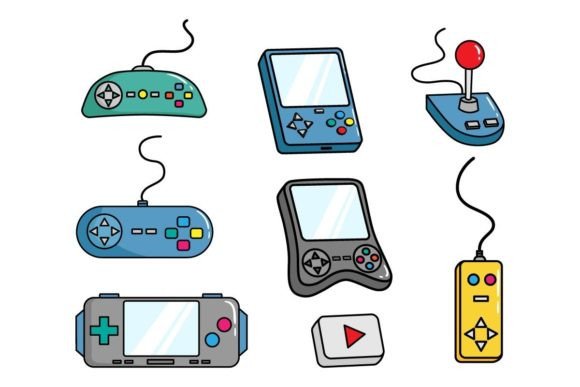
Understanding Vector Asset Packs for Gaming Console Design
In the vibrant world of digital design, whether you’re crafting a logo for a new indie game studio, creating promotional banners for a console launch, or developing a sleek user interface for a gaming platform, the quality of your graphical assets is paramount. One term you might frequently encounter is a “vector pack,” especially one described with specifications like “Compatible with Adobe Illustrator, CorelDraw, or other vector software – 100 Vector.” This article will demystify these digital toolkits, exploring what they are, why they are significant, and how they power creativity in fields like gaming design and beyond.
What Exactly Is a Vector Asset Pack?
Let’s start from the ground up. A vector asset pack is a curated collection of digital graphic files. The key word here is “vector.” Unlike common photographic images (known as raster images, made of pixels), vector graphics are built using mathematical formulas—paths defined by points, lines, curves, and shapes. This fundamental difference is what makes them so powerful and sought-after by designers.
The Core Files: .Ai, .EPS, and .JPG
The pack you’re considering typically includes multiple file formats, each serving a specific purpose:
- .Ai (Adobe Illustrator): This is the native file format for Adobe Illustrator, one of the leading vector design applications. Opening an .Ai file gives you direct access to all the editable layers, shapes, and paths, allowing for complete customization.
- .EPS (Encapsulated PostScript): An .EPS file, particularly from Illustrator version 10, is a more universal vector format. It’s a legacy standard that maintains vector data and is widely compatible with many different software programs, including CorelDraw and older versions of design suites. It ensures your assets can be opened and edited even if you don’t use the latest Illustrator.
- .JPG file: This raster format is included as a quick preview or for use in contexts where vector editing isn’t needed, such as placing a finished graphic into a website or a simple document. However, it lacks the scalability and editability of the vector files.
The mention of “100 Vector” confirms that you are receiving one hundred individual graphic elements created as vectors, offering a substantial library of resources.
The Purpose and Significance of Vector Graphics
Why would a designer, especially one working in the gaming console ecosystem, prefer vectors? The advantages are both technical and creative.
Unlimited Scalability Without Loss
Imagine you’ve designed a intricate controller icon for a PlayStation or Xbox interface. If it’s a raster image, enlarging it for a high-resolution display or printing it on a large banner will result in a blurry, pixelated mess. A vector graphic, however, can be scaled from a tiny menu icon to a massive billboard size without any loss of quality. The mathematical paths simply recalculate. This is crucial for branding and assets that must adapt to multiple screen sizes and marketing materials.
Precision and Editability
Every element in a vector file is editable. Colors, shapes, stroke widths—everything can be tweaked. The specification “Color RGB” indicates the colors are defined using the RGB (Red, Green, Blue) color model, which is the standard for digital screens. This makes these assets perfectly suited for web design, app interfaces, and digital advertisements related to gaming consoles. You can perfectly match the neon glow of a game’s logo or the specific hue of a console’s branding.
Smooth Integration into Professional Workflows
Professional design for gaming hardware and software operates in a pipeline. UI/UX designers, graphic artists, and marketing teams need assets that are flexible and non-destructive. A vector pack compatible with industry-standard software like Illustrator and CorelDraw fits seamlessly into this workflow. A designer can take a generic “gamepad” vector from the pack, modify its colors to match Nintendo’s palette, add textures, and integrate it into a manual or store page without starting from scratch.
Practical Relevance in Modern Design & The Gaming World
How does this fit into the real-world contexts of modern life, work, and creativity? The application is vast.
Fueling Business and Marketing
For a business selling gaming consoles or accessories, consistent, high-quality visuals are non-negotiable. A vector pack provides a library of assets—icons for “wireless connectivity,” “high-definition audio,” or “ergonomic design”—that can be used across all marketing channels: the website, social media ads, email campaigns, and printed brochures. Using vectors ensures the brand looks sharp and professional everywhere.
Empowering Education and Learning
For students learning graphic design or game development, a pack like this is an excellent educational resource. Instead of struggling to create perfect geometric shapes initially, they can deconstruct pre-made vector files. They can see how complex logos are built from simple paths, learn how color groups are organized in layers, and experiment with modifications. It’s a hands-on way to understand the principles of vector design.
Enhancing Personal Creativity and Projects
Even hobbyists creating fan sites, modding communities, or personal gaming blogs benefit. Perhaps you want to create a custom-themed wallpaper for your gaming setup featuring stylized console logos. With a vector pack, you have professional-grade elements to combine and manipulate, enabling a level of polish that might otherwise be out of reach.
Clarifying Common Misunderstandings
There are a few assumptions worth addressing to build a clearer understanding.
- “Vector Files are Only for Professionals.” While they are professional tools, modern software has made them more accessible. Many affordable or even free programs can open and work with .EPS files. The pack provides the raw materials; your creativity dictates the use.
- “The .JPG is the Main Useful File.” Actually, the .JPG is the least useful for a designer if editability is needed. It’s a final-output companion. The true value lies in the .Ai and .EPS files. Always prioritize working with the vector versions.
- “100 Vectors Means 100 Complete Artworks.” It typically means 100 individual elements or components. These could be isolated icons, pattern elements, border designs, or character silhouettes. They are a toolkit, not necessarily 100 finished posters.
Building a Broader Understanding: The Digital Asset Ecosystem
Seeing a vector pack as just a bundle of files is a limited view. It’s part of a larger ecosystem of digital creativity. In technology-driven fields like gaming, the demand for scalable, efficient, and reusable assets is growing. These packs represent modular design thinking. Instead of creating one-off graphics for every need, designers and businesses build libraries. A single, well-crafted vector icon of a gaming console can be repurposed countless times across different projects, ensuring consistency and saving immense time.
Furthermore, the compatibility with major software underscores a principle of open workflow. It doesn’t lock you into one tool. Whether your team uses Adobe’s ecosystem, Corel’s solutions, or another vector application, the assets remain usable. This flexibility is vital in collaborative environments where different specialists might use different preferred tools.
An Example from Concept to Screen
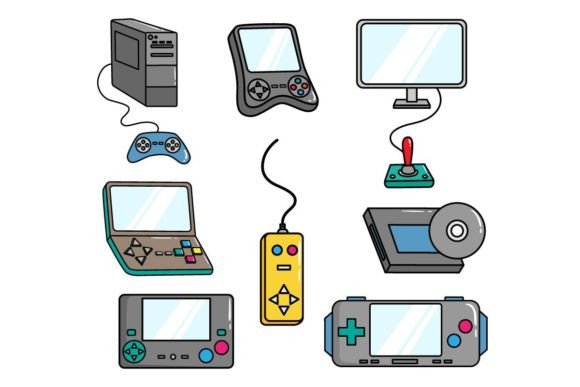
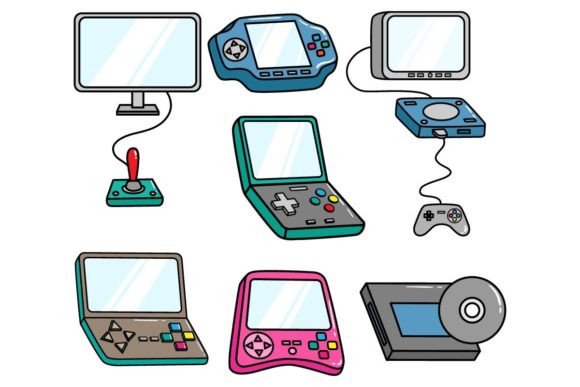
Imagine a designer tasked with creating the promotional graphics for a new “Set of Gaming Console” bundle that includes a console, controller, and headset. They acquire a relevant vector pack. They might:
- Open the .Ai file to find a sleek, editable console silhouette.
- Change its fill color from generic grey to the product’s specific midnight blue using the RGB values.
- Combine it with a vector controller icon from the same pack, arranging them into a compelling composition.
- Add text and export a high-resolution .JPG for the web ad, while keeping the original .Ai file for future modifications for a print catalog.
The entire process is streamlined, professional, and adaptable, all thanks to the foundational properties of the vector assets.
Conclusion: More Than Just Files
A vector pack described as “Compatible with Adobe Illustrator, CorelDraw, or other vector software – 100 Vector” is more than a digital product download. It is a gateway to professional-quality design, a time-saving resource for businesses and creatives, and a learning tool for aspiring artists. In the context of gaming console design and marketing, where visual identity and adaptability are crucial, such packs become indispensable components of the creative toolkit. By understanding the power of vectors, the role of different file formats, and the practical applications across industries, you can leverage these assets not just to decorate, but to communicate, brand, and create with precision and scale. Whether you are a seasoned designer or a general reader curious about digital graphics, appreciating this topic clarifies how much of the polished visual world around us is built on these mathematical, infinitely scalable paths.